

IMAP/SMTP email
1 min read

Kujira can receive, classify, and reply to email from mailboxes compatible with IMAP and SMTP.
Configure IMAP and SMTP
Add an email channel and enter the connection details supplied by the mailbox administrator. Kujira validates IMAP and SMTP when you save the channel, so both must be available from the start.
| Connection | Required details |
|---|---|
| IMAP · inbound | Server, port, username, and password. The usual TLS port is 993. |
| SMTP · outbound | Server, port, username, password, and sending address. The usual secure SMTP port is 465. |
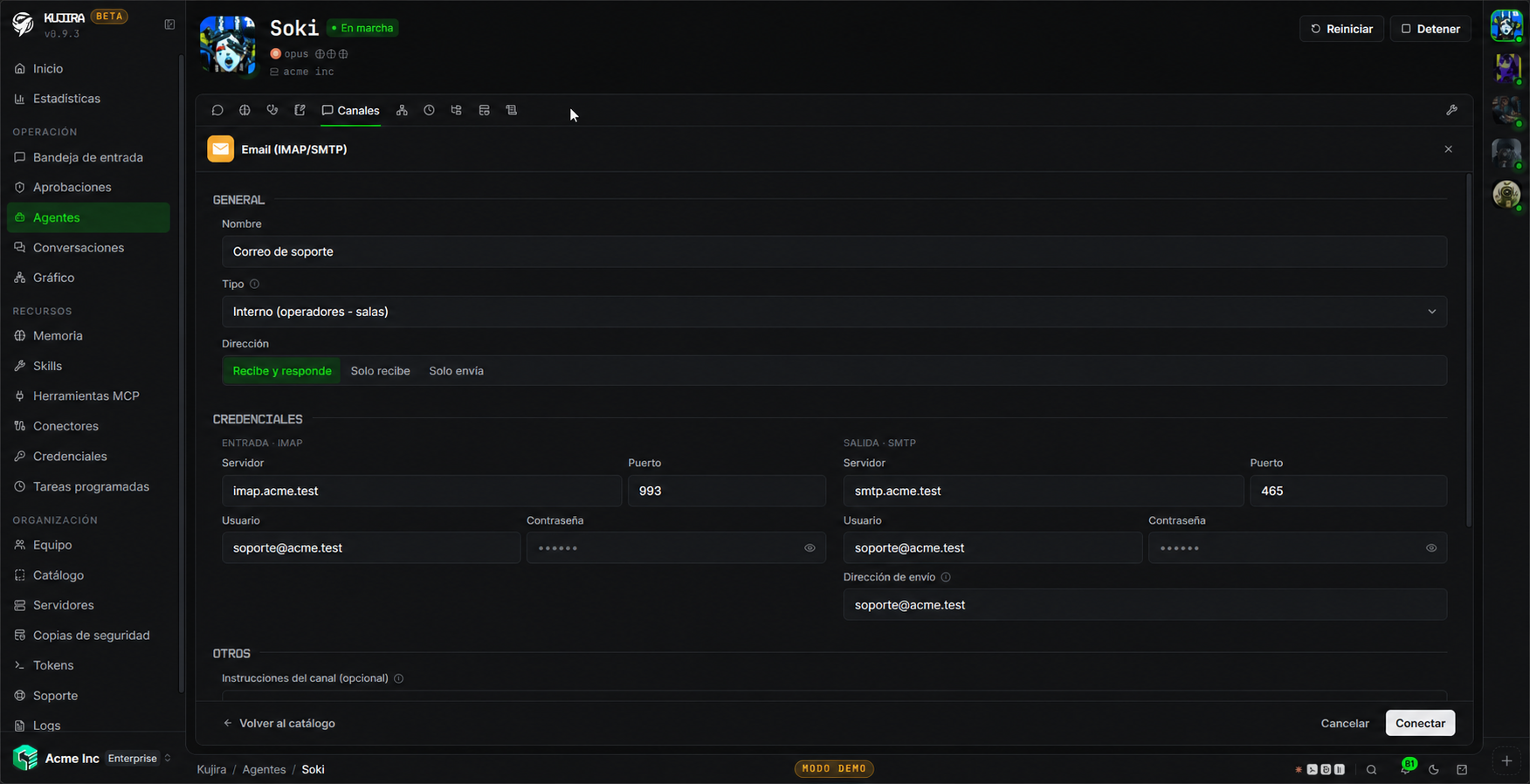
Request the mailbox details
Use an app password when appropriate
Define the sending address
Run a full test
Receiving through IMAP does not mark messages as read, move them, or delete them. The mailbox keeps its state for people who share it with the agent.
Protect the mailbox
Use an account intended for the agent's role and grant only the permissions required. Do not paste passwords into conversations or documents. Incoming messages also appear in Agent Desk.
Compose, reply, and supervise
The agent can reply in a thread, draft new emails, and prepare drafts according to its instructions and permissions. Define clearly what type of email it may answer autonomously and what situations must go through approval.