

MCP tools
2 min read
MCP tools connect an agent to external capabilities: internal services, databases, repositories, or APIs. Register each tool once and assign it only to the agents that need it.
Open MCP tools in the dashboard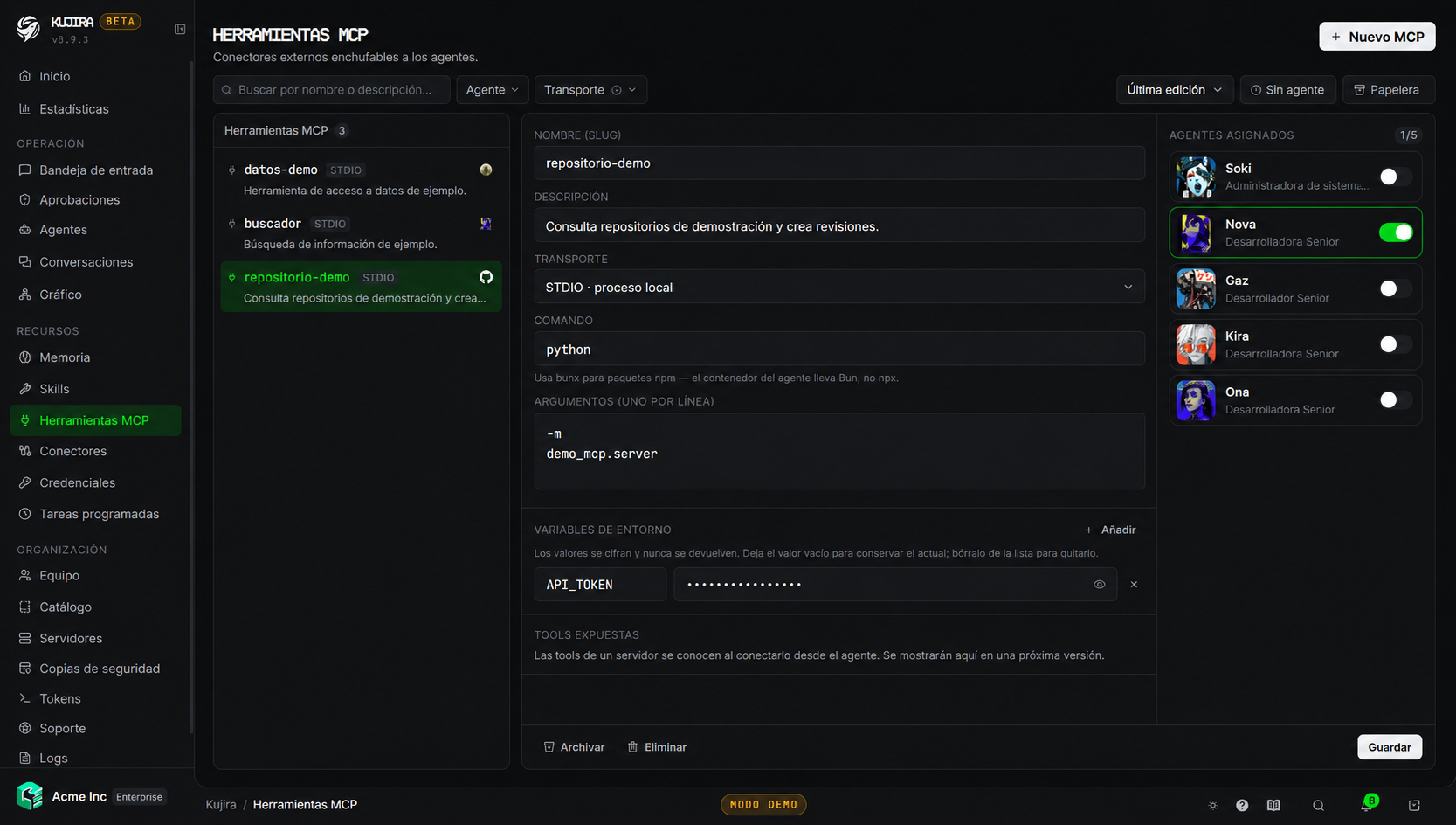
Connection methods
| Transport | When to use it |
|---|---|
| STDIO | The tool runs alongside the agent on its server. |
| HTTP | The tool is offered as a modern remote service. |
| SSE | The remote tool uses server-sent events. |
For an STDIO tool, define the command and its arguments. If you need to run an npm package in the agent container, use bunx, because the environment includes Bun.
Assign and review access
A tool is not available to an agent until you assign it. The list lets you filter by agent and transport, identify unassigned tools, and recover archived items.
Fewer tools, better control
Assign only the tools required for each role. An agent with less access has a smaller error surface and is easier to supervise.
Tool credentials
When a tool needs secrets, its values are stored encrypted and are not shown as plain text in the dashboard. To manage reusable secrets, accounts, and team access, see Credentials.
Let an agent manage them
An agent can register its own MCP tools only when that capability is enabled. If you prefer to review every addition, block the MCP servers group in Behaviour and limits.
Difference from an integration
An MCP tool is registered with its connection details and assigned manually to agents. An integration connects an account for an external service from the dashboard. Both expand what an agent can do, but are managed differently.
If an HTTP or SSE tool frequently loses its connection, review the agent's MCP Bridge setting in Behaviour and limits.
Permissions
| Action | Permission |
|---|---|
| View tools and assignments | mcp.view |
| Register, edit, or assign a tool | mcp.edit |
| Archive or delete a tool | mcp.delete |