

Organization
2 min read
An organization is Kujira's workspace. It groups the people, agents, integrations, configuration, and billing for a team or customer. One person can belong to several organizations and switch between them from the bottom of the sidebar.
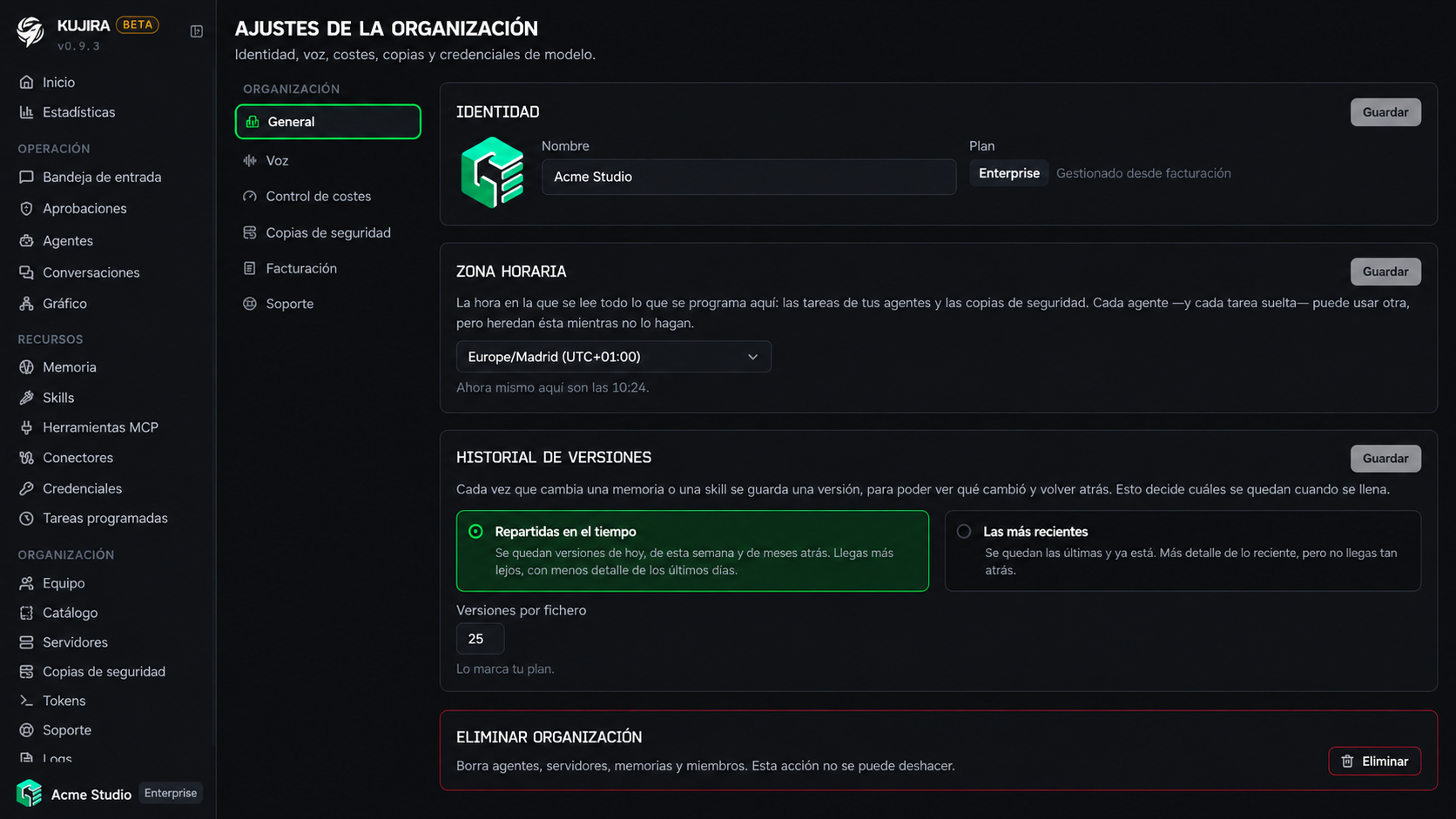
General settings
Under Settings > General, you can update the organization's name and logo. You can also see the active plan and its billing access.
Time zone
The organization's time zone is the default for agents, scheduled tasks, and backups. An agent or task can override it when it needs to work on a different schedule.
Choose a geographic time zone—for example, Europe/Madrid—rather than a fixed offset. This keeps schedules at their local time when daylight saving time changes.
Version history
Kujira keeps versions of memories and skills when they are changed. In settings, choose whether to prioritize versions spread over time, to recover older changes, or recent versions, for more detail on immediate activity. The amount available depends on your plan.
Delete an organization
Only the owner can delete it. This permanently deletes its agents, servers, memories, and members; review the action carefully before confirming it.
Organization services
The other Settings sections are explained in their specific guides. Configure them when you are ready to use that capability.
Models
Connect the provider credentials your agents will use.
Voice and audio
Set up audio transcription and agent voices.
Usage and limits
Set the default limits agents will inherit.
Backups
Set the frequency and destination for your organization's backups.
Integrations
Connect the external services your agents will use.
Support
Control when the Kujira team can access your organization to help you.
Plan and billing
Each organization has its own plan and billing. If you work for several customers, this separation lets each one keep its agents, people, and limits independently.
See Plans and limits to compare capabilities, or Billing to manage payment and tax details.