

GitHub
2 min read

GitHub lets an agent receive repository activity and act on code, issues, and pull requests. Setup combines the GitHub App installation with the identity the agent uses to publish.
Connect repositories
- In the agent profile, open Channels and select GitHub.
- Connect or select a GitHub App installation.
- Authorize the installation in the appropriate account or organization and choose the available repositories.
- Back in Kujira, select that installation for the channel.
The installation determines the repositories the agent can access. Manage its permissions and repositories from GitHub.
Channel setup
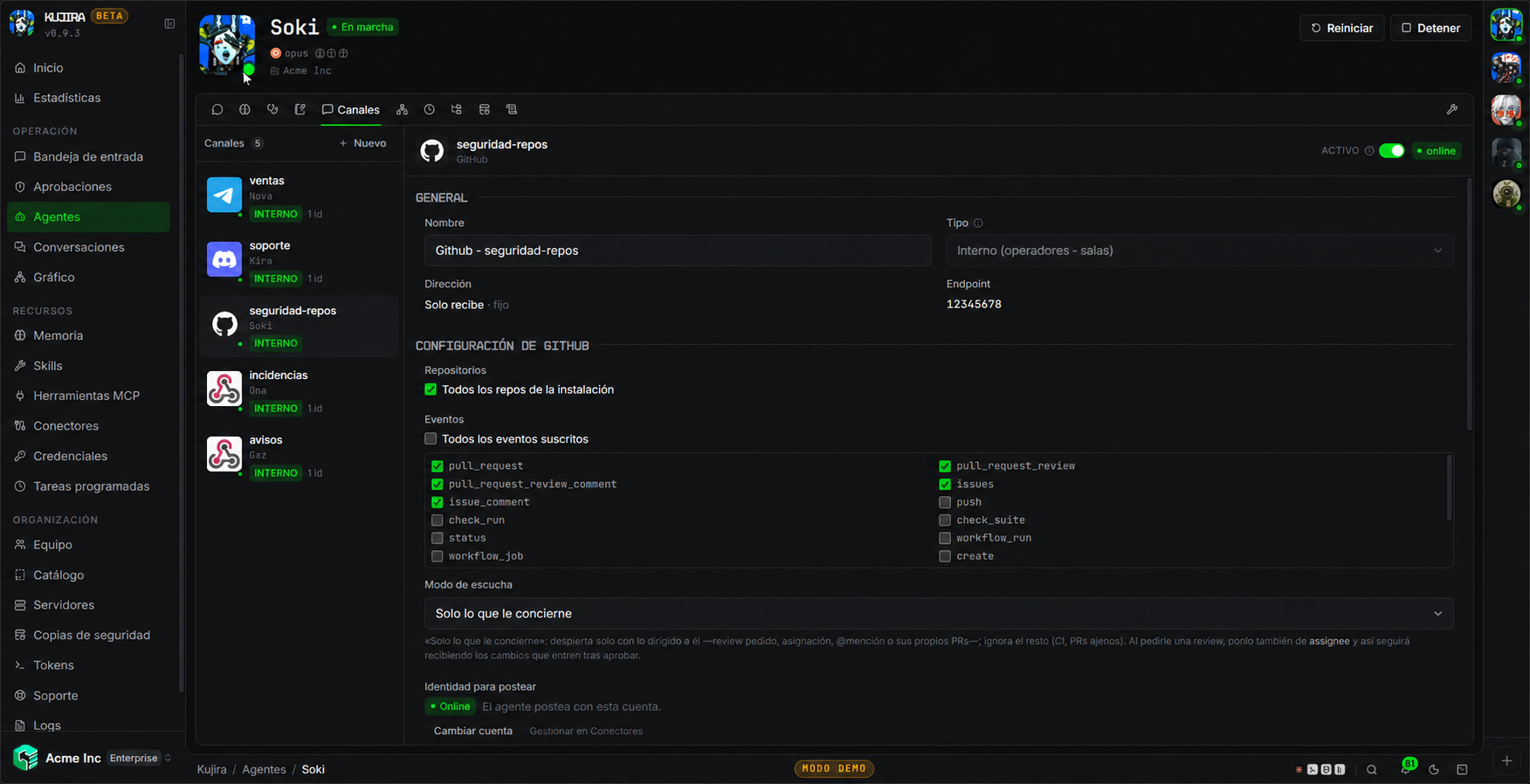
A channel combines repository scope, received events, listening mode, and the identity it can publish as. Review them together before enabling it.
Filter events
Choose the repositories and events it should receive: pull requests, reviews, comments, code changes, issues, or workflows. You can also limit reception to events involving the agent, such as a mention, assignment, or review request.
Add channel instructions to define what it should do when each event arrives.
Authorize the agent identity
Authorize a GitHub account in the channel details so the agent can publish with that identity. Review the installation permissions and the authorized account separately.
Filters do not reduce permissions
Filtering which events the agent receives does not itself limit the scope of the installation or the account it acts as.
Verify the setup
Generate an event included in the filters. If it does not arrive, check the repository, installation, and event type. If it arrives but the agent cannot act, check its identity authorization.
Removing an installation in Kujira does not uninstall the GitHub App; do that from GitHub.