

Account and security
2 min read
My account brings together your personal settings: profile, access, channel identities, and notifications. Open it from the menu at the bottom of the sidebar.
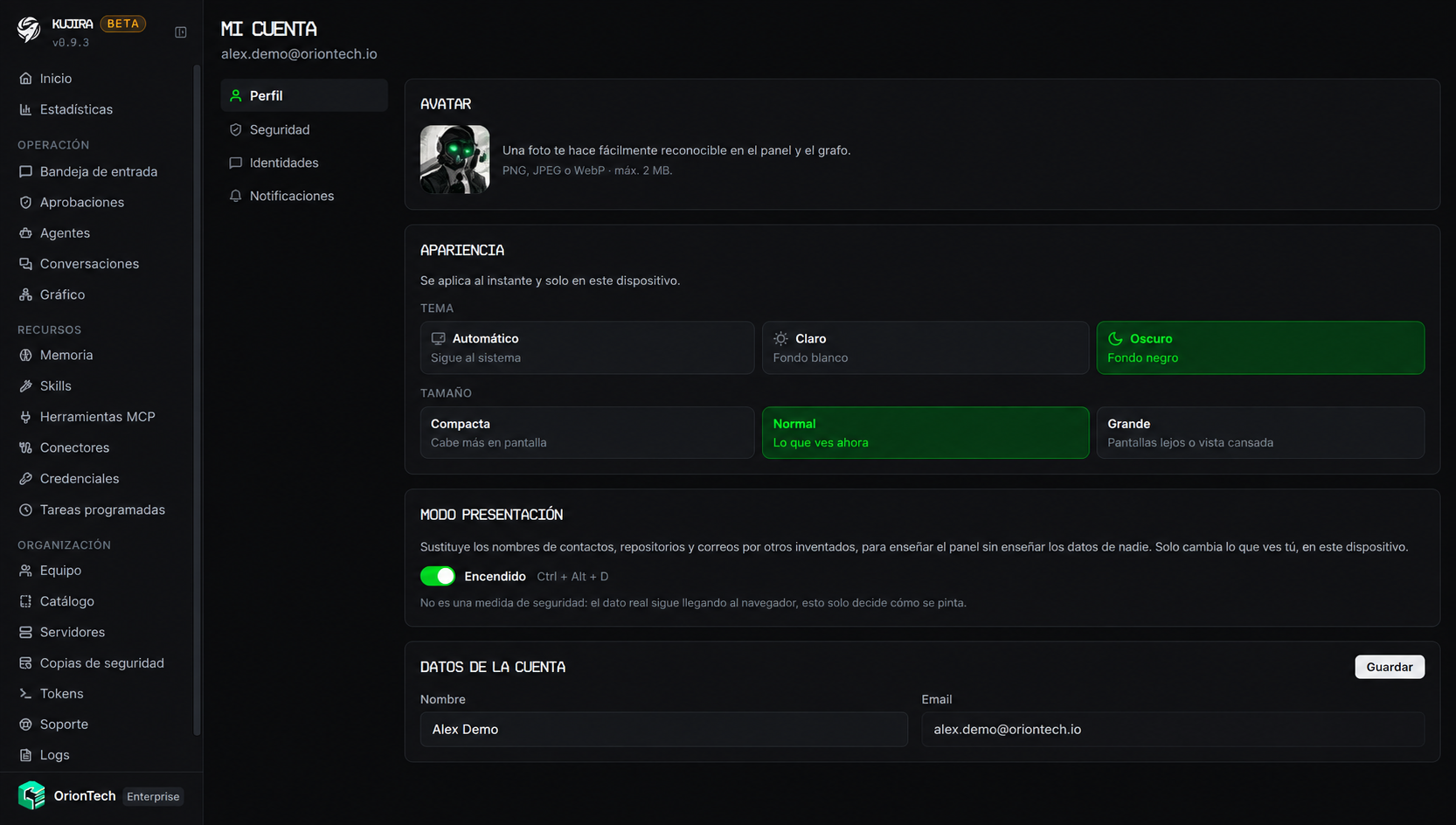
Profile
You can change your name and avatar. Your email is the account identifier and cannot be changed from the dashboard.
Under Appearance, choose the theme and interface density. These preferences are stored on the current device, so you can use a different setup on each computer.
Presentation mode
Presentation mode visually replaces contact names, repositories, and email addresses with fictitious data. It is intended for demonstrating the dashboard or preparing a screenshot.
Enable it in My account › Profile or with Ctrl + Alt + D.
It does not protect data
Presentation mode only changes what is displayed on screen. It does not remove the account's real data or replace access controls.
Access and security
You can sign in with email and password, or with a Google or GitHub account. Before connecting or disconnecting a provider, Kujira asks you to verify your identity with your password, a two-factor code, or fresh authentication with the provider.
Keep a way to sign in
Do not disconnect Google or GitHub if it is your only sign-in method. First create a password or connect another provider.
Confirm your email
When you create the account, you receive a confirmation link. Until you complete it, you can explore the dashboard but cannot create organizations, start agents, connect channels, or invite other people.
Two-factor authentication
Two-factor authentication adds a temporary code generated by an app such as 1Password or Google Authenticator. To enable it, scan the QR code and confirm a six-digit code.
We recommend enabling it on accounts with administrative permissions.
Channel identities
If you write to your agents from Telegram or Discord, link your identity in My account › Identities. Kujira will then recognize those messages as internal instead of treating them as conversations with an external contact.
The link is verified with a code sent through the relevant channel. Each person can manage only their own identities.
Notifications
Under My account › Notifications, choose which alerts you receive by email and in the dashboard for each organization you belong to. See Notifications for the available alert types.
Recover access
If you cannot sign in, use Forgot my password on the sign-in screen. You will receive a link at the email address associated with the account.