

Agent collaboration
2 min read
Agents can delegate work to one another when both sides are authorized. The receiving agent's Access tab centralizes this setup: it defines which agents can write to it and which people can chat with or manage it.
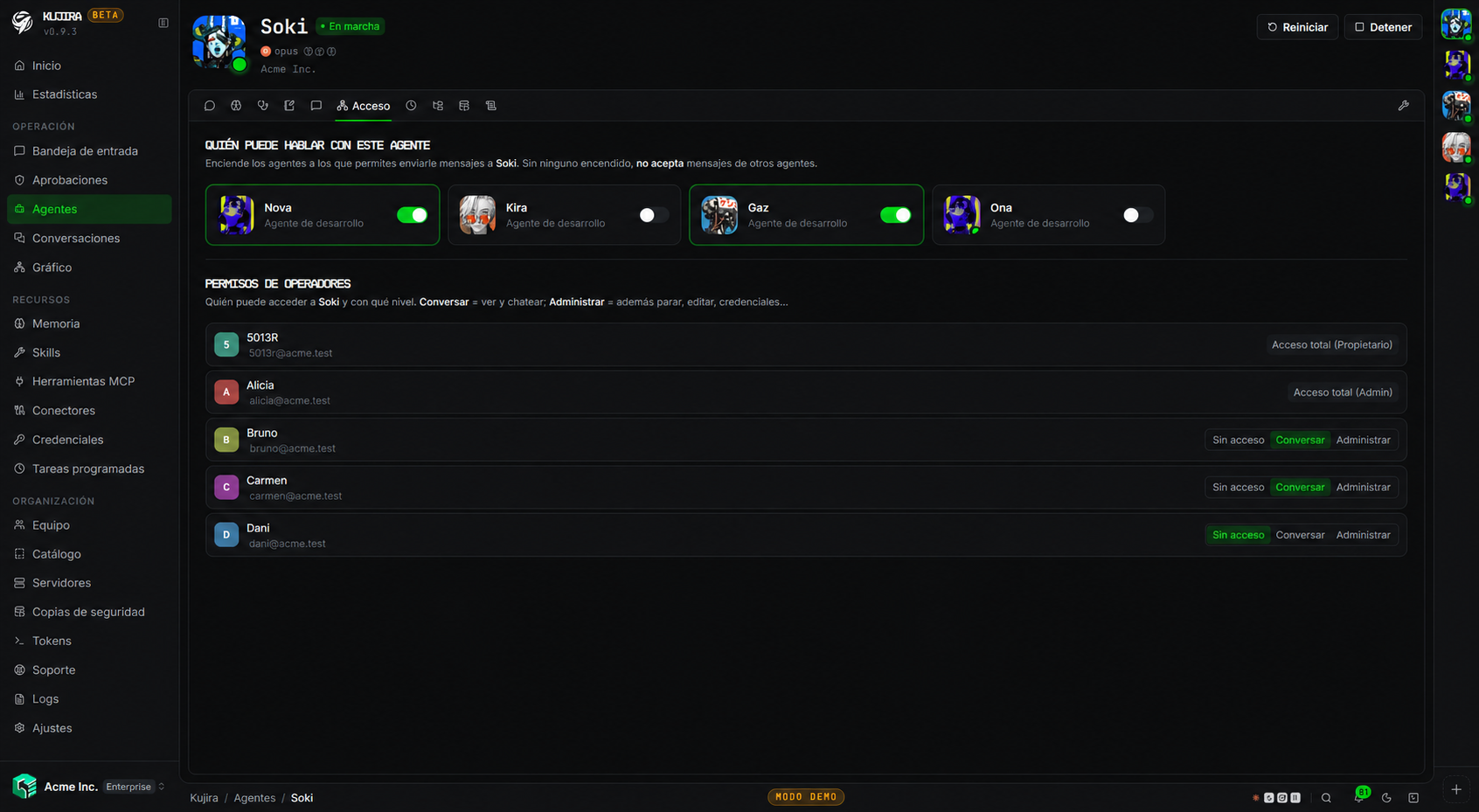
Allow delegation
Enable only the agents that need to send it work. If none are enabled, the agent accepts no messages from other agents. This prevents an agent from accidentally becoming an entry point for the entire organization.
Authorization controls who can start collaboration; the Other agents capability in Behaviour and limits controls whether the agent can use that collaboration while it works. Review both before enabling a delegation chain.
Give people access
On the same screen, choose which organization members can work with the agent:
| Level | Scope |
|---|---|
| No access | Cannot open or use the agent. |
| Chat | Can view and maintain chats with the agent, without changing its configuration. |
| Manage | Can manage the agent, including its access and configuration settings. |
The organization owner and administrators have full access. Other people see the agent only when you assign an explicit level; see Team to manage these permissions across the organization.
Supervise relationships
In the Graph, you can view the map of relationships among agents, people, and channels. Select a connection to open the conversation that created it.
Delegation also consumes resources
When an agent uses another agent, the work consumes the receiving agent's budget. If it must not delegate, block the Other agents capability in Behaviour and limits.